How to Photograph Products for Your Website (and When to Call Someone)
By Amit Saini, founder of Vimana Digital · First published November 2021, rewritten October 2026 · 9-minute read
To photograph products for a website, use soft, even light (a window with a diffuser or a light tent), a plain white or neutral background, a tripod, and a fixed set of angles for every product. Export images at around 1,600 pixels on the long edge as WebP, compress them, and add descriptive filenames and alt text.
Why product photos decide whether people buy
On a shop website the photo does the job the product does in a physical store: it is the only way a customer can inspect what they're buying. Online sales make up roughly a quarter of all retail sales in Great Britain (ONS, via ICAEW, November 2025), and most of that browsing happens on a phone; the typical UK adult spends about four and a half hours a day online, largely on a smartphone (Ofcom, Online Nation 2025). A photo that looks fine on your monitor and muddy at phone size is costing you orders.
Photos also decide whether the page loads. Images are usually the heaviest thing on a product page, and Google's Core Web Vitals target is for the main content to appear within 2.5 seconds (web.dev). Google states these measures are "used by our ranking systems". So good product photography is partly a technical job, which is why this guide covers file sizes and alt text as well as lighting.
What kit do you actually need?
Less than you think. Our own kit for client shoots fits in a car boot and sets up in about twenty minutes in a two-metre by two-metre space with a power socket.
- Camera: any phone from the last three or four years is fine for products up to the size of a chair. Use the main lens, not the wide one, and turn off "beauty" or HDR effects.
- Tripod: the single most useful purchase. It keeps every shot at the same height and angle, and lets you use slower shutter speeds in soft light. Phone tripods cost from about £20.
- Light: a large window with indirect daylight, plus a white bedsheet or baking parchment taped over it to soften harsh sun. If you need to shoot in the evening or in a warehouse, a pop-up light tent with built-in LEDs (£40–£150) gives the same soft, even light every time.
- Background: a roll of white paper or a large sheet of white card curved from the table up the wall, so there is no visible horizon line. Add one neutral grey or coloured sheet for lifestyle shots.
- Reflector: a piece of white card opposite the light to fill shadows. Silver foil on card for metal or dark products.
- Cleaning kit: microfibre cloth, lint roller, cotton gloves for anything glossy. Dust shows at 1,600 pixels.
Skip, at least to begin with: ring lights (they create a ring reflection on anything shiny), coloured gels, and "AI background removal" as a substitute for lighting properly.
How to photograph a product in eight steps
- 1Write the shot list first. For each product: front, back, both sides, top, one detail, one scale shot (in a hand or next to something familiar) and one in-use or lifestyle shot. Seven to eight images per product is a sensible target; marketplaces allow more.
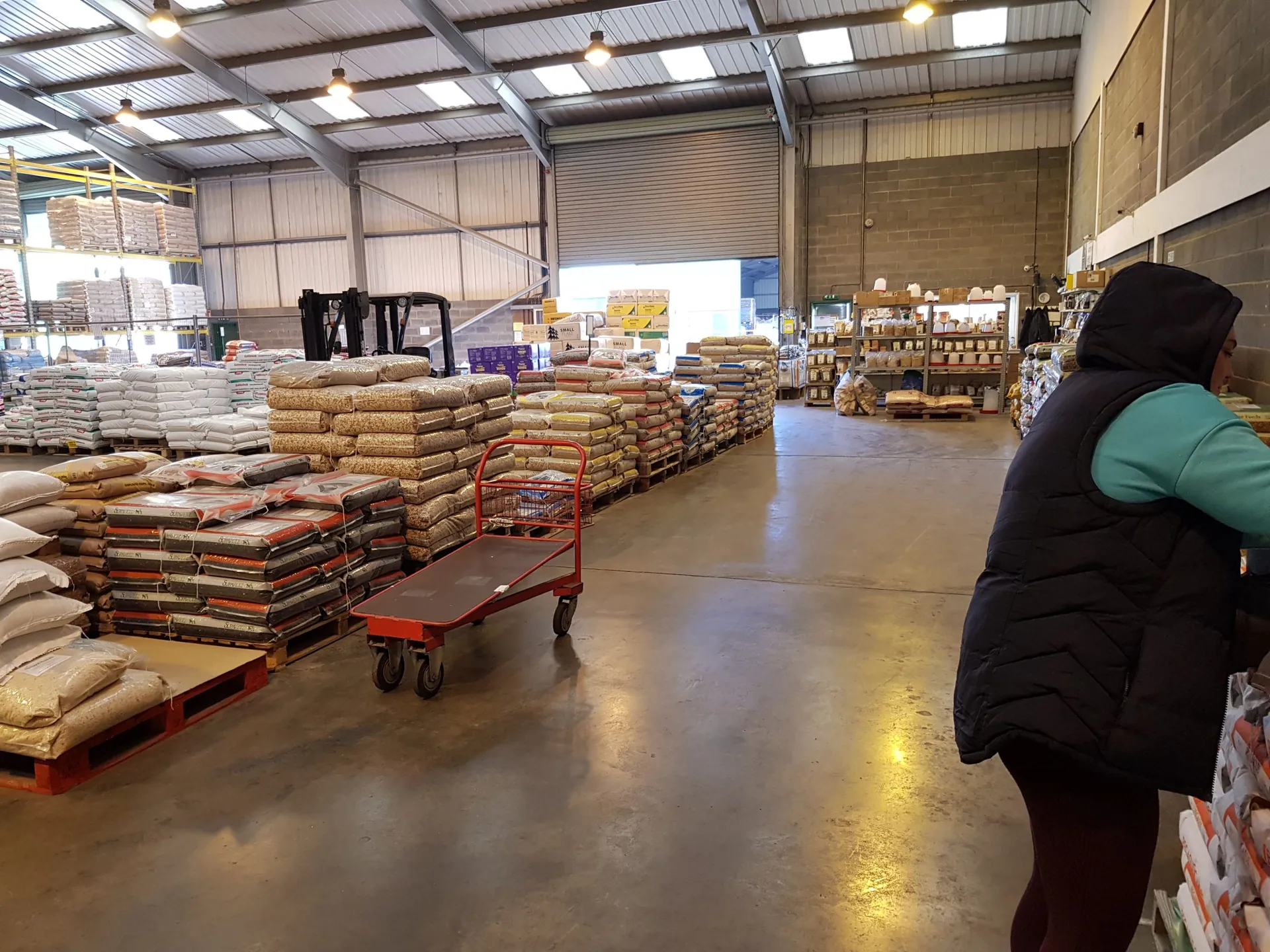
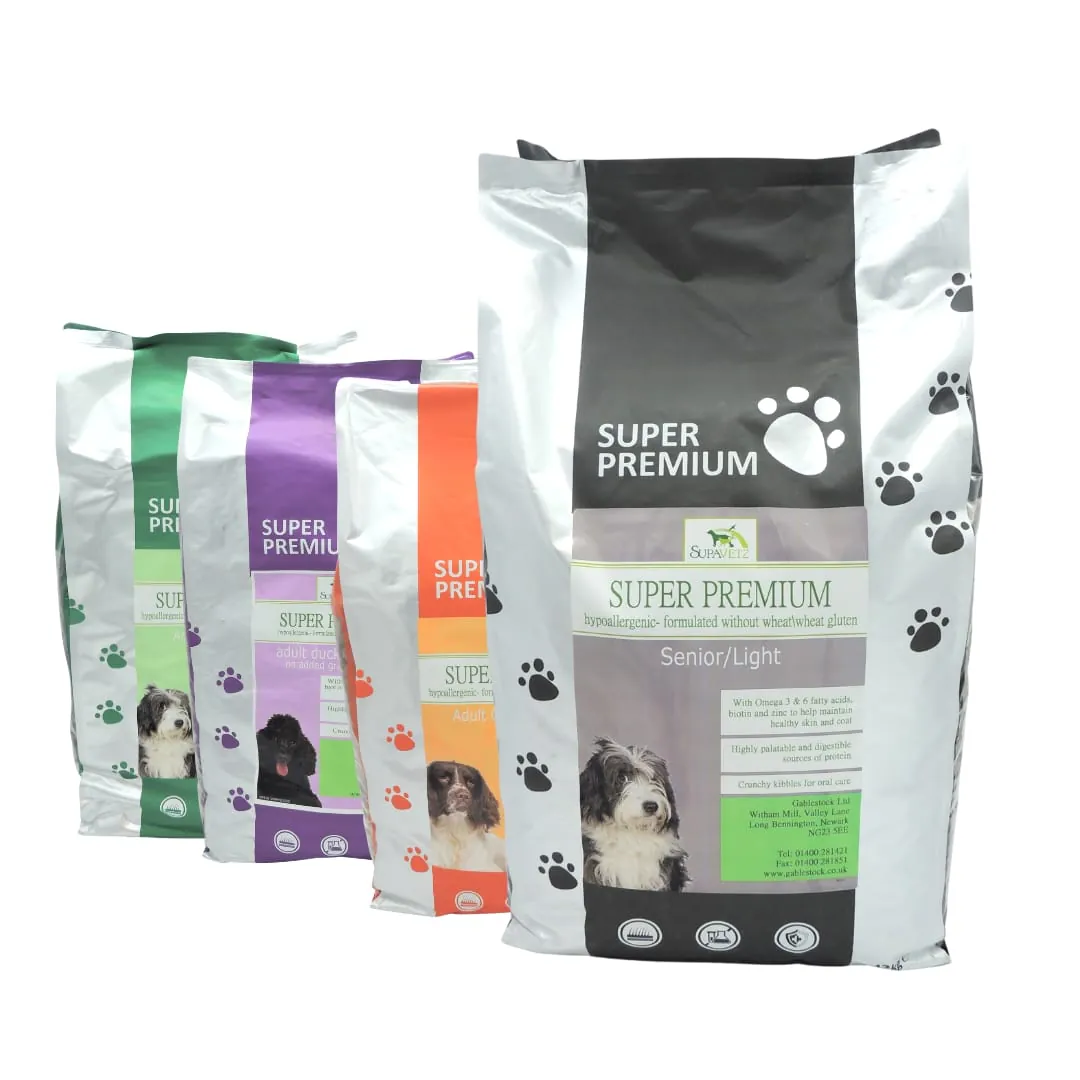
- 2Clean the product and the set. Wipe everything, including packaging. When we photographed animal feed at Gablestock, every 20 kg bag was wiped down before it went in front of the camera because warehouse dust shows in every shot.
- 3Set the light once. Position the window or tent to the side and slightly in front of the product, reflector opposite. Then don't touch it for the rest of the session. Consistency across products comes from a fixed set, not from editing.
- 4Lock the camera. Tripod, same height, same distance, same zoom for every product in a category. Tape marks on the table where the product sits.
- 5Fill the frame but leave margin. Aim for the product to occupy about 85% of the frame, which is also Amazon's requirement for main images. Leave enough edge to crop square later.
- 6Shoot the set, then check on a phone. Review at phone size before you move on. Blur, dust and colour casts are easier to re-shoot now than to fix later.
- 7Edit lightly and identically. Straighten, crop to the same ratio (square for most shops), correct white balance so whites are white, and apply the same adjustments to every image in the batch. Avoid making a product look a different colour from the one that arrives in the post; that is the most common cause of returns.
- 8Export for the web. 1,600 pixels on the long edge for the main image (enough for zoom), 800 pixels for thumbnails, WebP or AVIF format, quality around 80, aiming for under 200 KB per main image. Name the file for the product ("oak-coffee-table-120cm-front.webp"), not "IMG_4821.jpg".
Which background and size for which use?
| Where the image goes | Background | Size and format | Notes |
|---|---|---|---|
| Your own shop's product page (main image) | Pure white or very light grey | 1,600 px long edge, square, WebP/AVIF, <200 KB | Enables zoom; square keeps grids tidy |
| Your own shop (lifestyle/gallery images) | In context: kitchen, workshop, worn | 1,600 px, 4:5 or 3:2 | One per product is enough to show scale and use |
| Amazon main image | Pure white (RGB 255,255,255), product ≥85% of frame, no text or props | ≥1,000 px long edge for zoom; 1,600 px recommended | |
| Google Shopping / Merchant Center | Plain, no watermarks, no promotional text | Minimum 100×100 px (250×250 for apparel); 800×800 recommended | |
| Social media and ads | Lifestyle or coloured | 1,080 px square or 4:5 | Reuse the lifestyle shot; crop from the 1,600 px master |
| Delivery apps (Just Eat, Uber Eats, Deliveroo) for food | Plain, well lit, dish fills frame | Each app publishes its own ratio | Shoot hot food fast; it looks tired within minutes |
Keep one high-resolution master of every shot and generate the sizes from it. Re-shooting because the only copy is a cropped 600-pixel JPEG is the most common expensive mistake we see.
Making product images work for Google and for people who can't see them
- Alt text on every image. WebAIM's 2025 scan found 55.5% of the top million home pages had images missing alternative text. Alt text describes the product for screen-reader users and tells Google what the image shows: "Black leather ankle boot, side view" rather than "boot1".
- Descriptive filenames and captions. Google's image SEO guidance recommends descriptive filenames, alt text and surrounding text that relates to the image (Google Search Central, Google Images best practices).
- Modern formats. WebP and AVIF are typically 25–50% smaller than JPEG at the same visible quality, which is the cheapest speed win available on a product page.
- Responsive sizes. Serve the 800-pixel version to phones and the 1,600-pixel version only on zoom. Any decent shop platform does this if the master is uploaded once at full size.
- Lazy-load the gallery, not the main image. The first product image is usually the page's largest element, so it should load immediately; the rest can wait until scrolled to.
- Product structured data. Mark up the product with its image, price and availability so Google can show it in rich results and Shopping tabs. Our ecommerce SEO service covers this for shops that want it done properly.
Seven mistakes that make a shop look amateur
- Mixed backgrounds: one product on white, the next on a kitchen worktop, the next on a bedsheet. Pick one for main images.
- Different angles and distances: products appear to change size across the grid.
- Yellow whites: indoor bulbs give a warm cast. Set white balance or shoot by daylight.
- Hard shadows: direct sun or a single bare lamp. Diffuse it.
- Reflections of the photographer: on anything glossy, chrome or glass. Shoot through a hole in a white card, or use a tent.
- Phone-sized check skipped: blur and dust that were invisible on a laptop screen.
- Giant files: 5 MB JPEGs straight from the camera. The page loads slowly and Google notices.
When is it worth paying someone to do it?
DIY works well for a small range of matte, medium-sized products shot in daylight. It stops paying when:
- The catalogue is large. Two hundred products at eight shots each is 1,600 images. A professional with a fixed set and a workflow shoots that in days, consistently.
- The product is hard to light. Chrome, glass, jewellery, polished wood and white-on-white all need controlled lighting. For Diamond Alloys in Derby we brought our product photography kit to shoot individual alloy wheels, which gave the site its banners and product imagery in one visit; see the alloy wheel repair case study.
- It's food. Hot food has minutes before it looks tired. For The Coopers Arms we shot individual dishes plus the interior and exterior in one session, and for Spice Cube in Loughborough we shot a selection of dishes used across the website, gallery and social media; see the country pub and restaurant case studies.
- It's clothing. Flat-lay is manageable; on-model needs a model, a steamer and someone watching the fit.
- You don't have the time. At Gablestock Animal Feeds, John gave us a shopping list and got on with running his business while we trolleyed the 20 kg bags out eight to ten at a time, cleaned and shot each one, and returned every bag to its place. That is what you are buying: not just better photos, but your own hours back.
We shoot product, food, premises and clothing photography across the East Midlands and will travel further for larger shoots. Smaller products can be posted to us and are returned securely once photographed; clothing brands send a box and we can shoot it on a model if required. There are usually two of us on a shoot, and we normally ask for at least three days' notice. Finished images go into the website and are also sent to you online. We added the service because around 80% of the websites we were building needed new imagery as well as new copy, and waiting for it was slowing projects down. Details and what's included are on our photography page. If you're building a shop at the same time, photography can be a line item in the ecommerce web design quote so it lands before launch rather than after.
"Had Amit recommended to me for some product photography and the results were better than I had imagined. Professional service from top to bottom and would not hesitate to recommend Vimana Digital." — Matt Nooch, Google review
Productphotographyquestions, answered
Not covered here? Call and ask. We reply within 24 hours.
Can I use my phone for product photography?
Yes, for most products. A recent phone on a tripod, in soft daylight or a light tent, produces images good enough for a shop website and most marketplaces. Use the main lens, switch off automatic enhancements, and shoot in the highest quality setting. Where phones struggle is reflective products and very fine detail.
How many photos do I need per product?
Six to eight is a good standard: front, back, two sides, top or inside, one close-up of a detail or texture, one for scale, and one in use. Marketplaces allow more, but consistency across products matters more than quantity. Every product in a category should have the same set in the same order.
What size should product images be for a website?
Save a master at around 1,600 pixels on the longest edge for the main image, which allows zoom, and let the platform generate 800-pixel versions for grids and phones. Export as WebP or AVIF and aim for under 200 KB per main image so the page meets Google's 2.5-second loading target.
Do product photos need a white background?
For main images on your own shop and on marketplaces, a white or very light background is the safe choice: it keeps the grid consistent and is required by Amazon for main images . Lifestyle images in a real setting work alongside them to show scale and use, not instead of them.
How much does professional product photography cost in the UK?
UK product photographers commonly charge either per image, often £15–£50 for simple white-background shots, or by half-day and day rate, typically £300–£800 depending on location and complexity . Vimana Digital quotes per shoot based on product count and location.
Should I write alt text for product images?
Yes, on every image. Alt text lets screen-reader users know what the image shows and gives Google a description to index. Write what you see, in a sentence: "Navy wool scarf folded on white background". Leave out "image of" and keyword lists. More than half of top websites still skip this (WebAIM, 2025).
Tell us what you sell, roughly how many products, and where you are. We'll quote for the shoot, the shop, or both.
Get a quote